Clicking an option on the left will reveal further options. You can adjust the master switch to enable/disable the sound effect, adjust the volume, and then turn on/off individual sound effects.
In some categories like ‘Aircraft Movement’, there are further options too to further refine your experience.
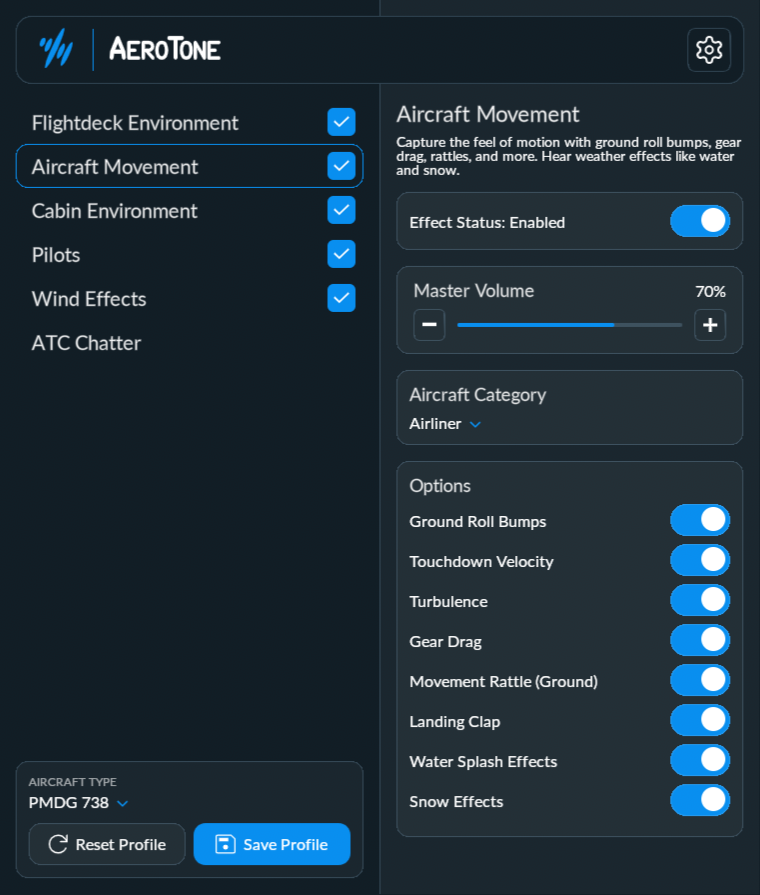
Toggling a setting will make the change live in the simulator, but won’t persist until you SAVE PROFILE.
After you make a change, you will notice a warning box appear, indicating you have unsaved changes.
Click on ‘SAVE PROFILE’ to make the changes.
Was this article helpful?
That’s Great!
Thank you for your feedback
Sorry! We couldn't be helpful
Thank you for your feedback
Feedback sent
We appreciate your effort and will try to fix the article