With version 1.2.0 of Airport ALIVE: Global Base Pack, we have now included a new in-sim panel.
You can access it once inside the sim, during a flight by clicking this icon.

Overview Page
The overview page will show you if the current airport location is compatible with Airport ALIVE: Global Base Pack and also give you a Live Audio overview. This overview will show you if you're in range of any sound emitters, and if so, which one(s). This will identify if you should be hearing audio or not.
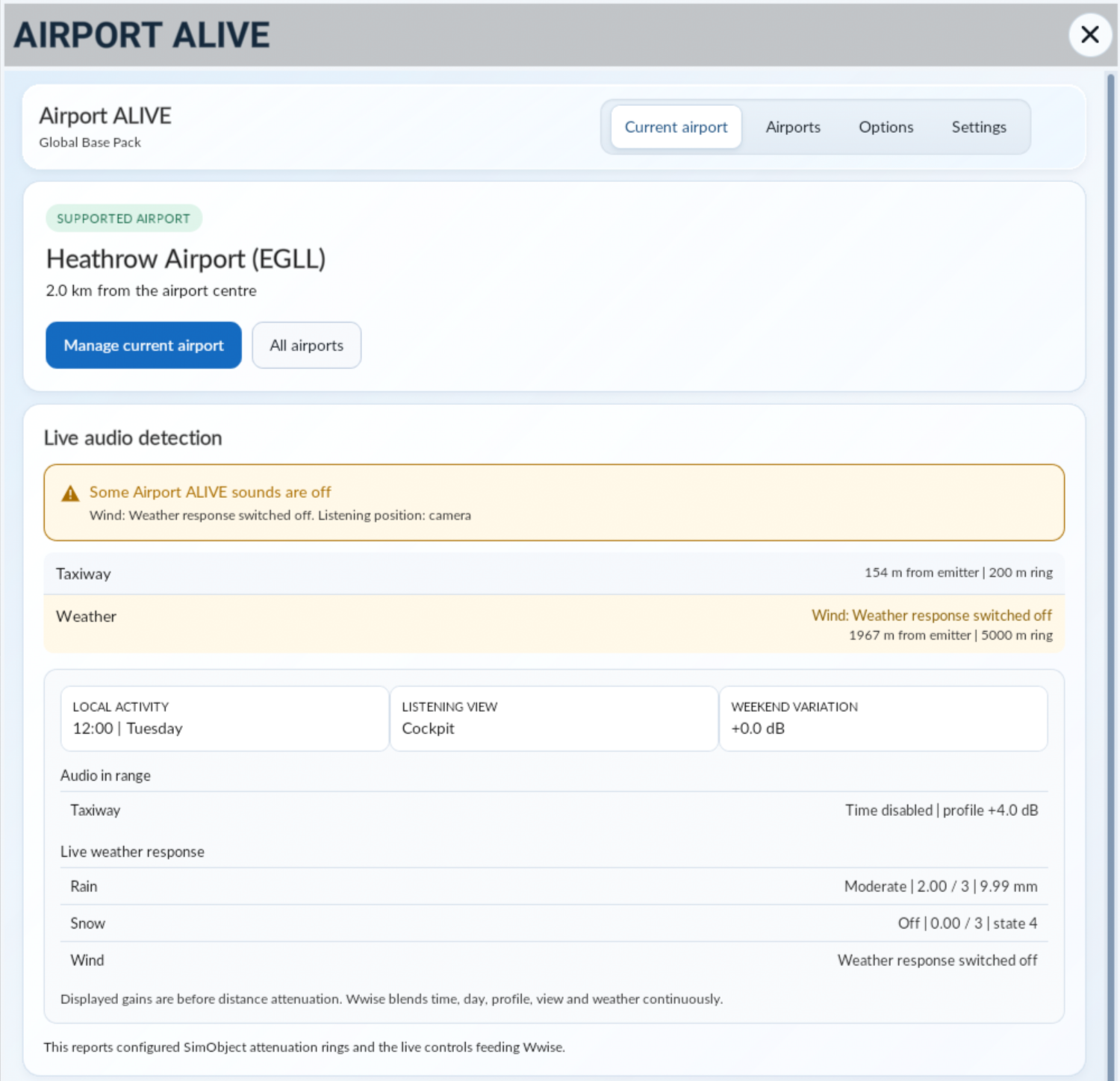
The Live Audio Detection will also show you if sounds are disabled/enabled, as well as whether any dynamic elements are in play (e.g. time of day influencing the volume).
Airport Page
You can manage the current airport, which will give you the chance to change options such as volume controls and also the ability to turn on/off specific sound banks.
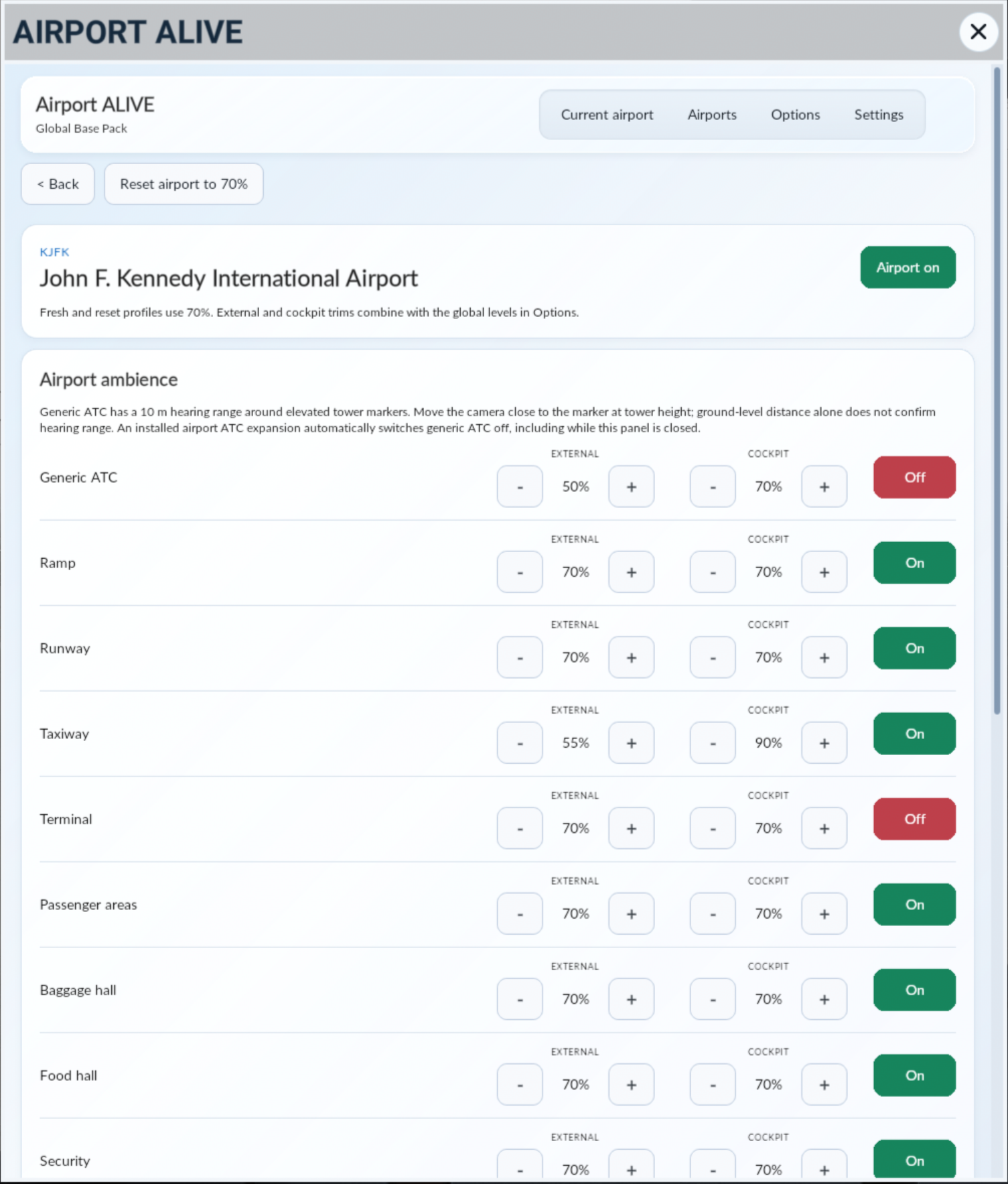
As you can see, you can adjust volumes for each bank, including the volumes for external or cockpit views.
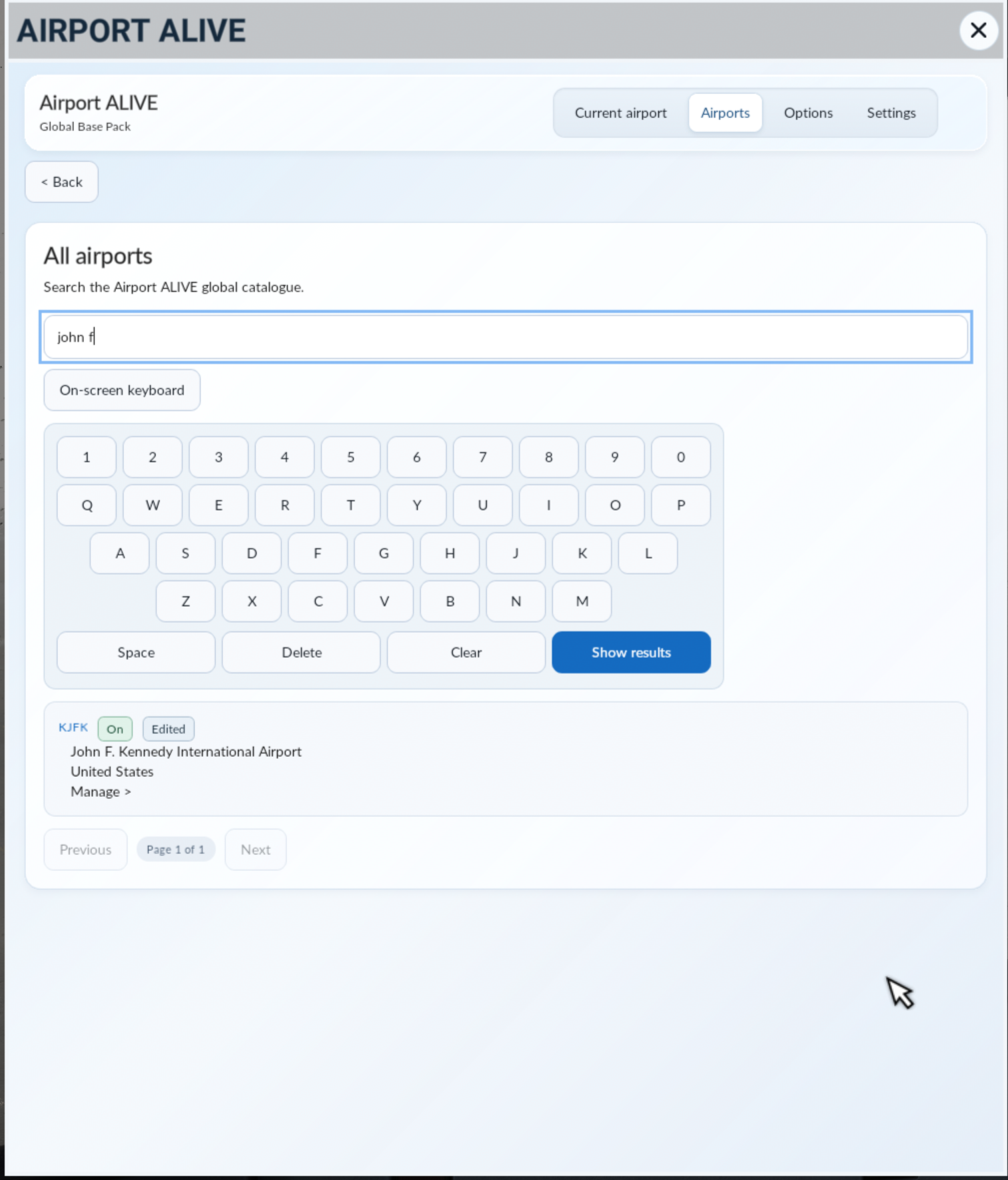
You can edit the current airport, or you can search for any airport included with Airport ALIVE: Global Base Pack and edit them too. Console users can take advantage of the on-screen keyboard.
Global Options
We also have the ability for users to adjust options on a global level. This includes the ability to turn on/off dynamic elements, weather effects and cockpit attenuation.
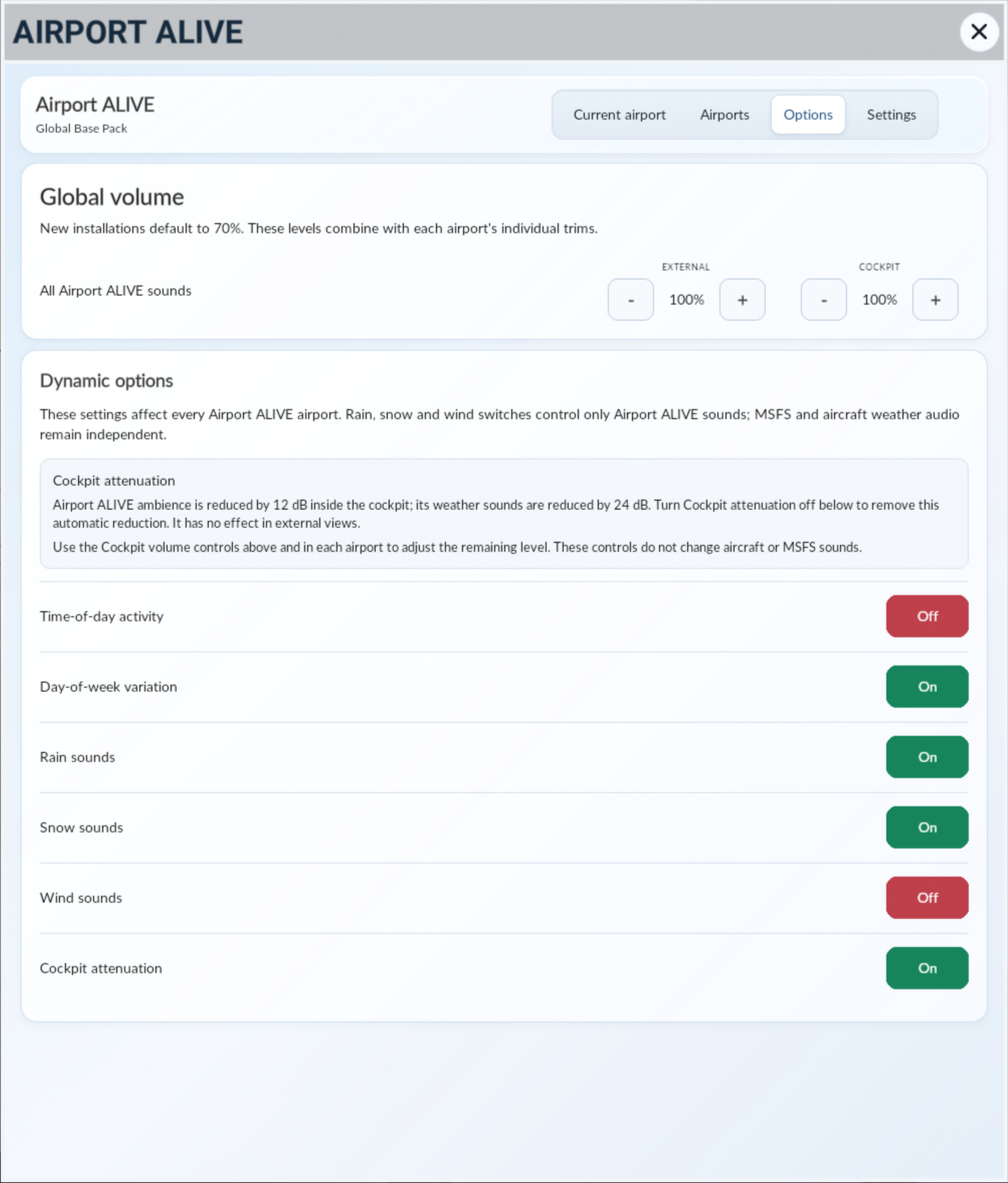
You can also adjust the volume globally for Airport ALIVE if you so wish.
Settings/Debug Info
Finally, the last page gives you some final settings and also provides you with debug information should our support team ever require any further information from you.
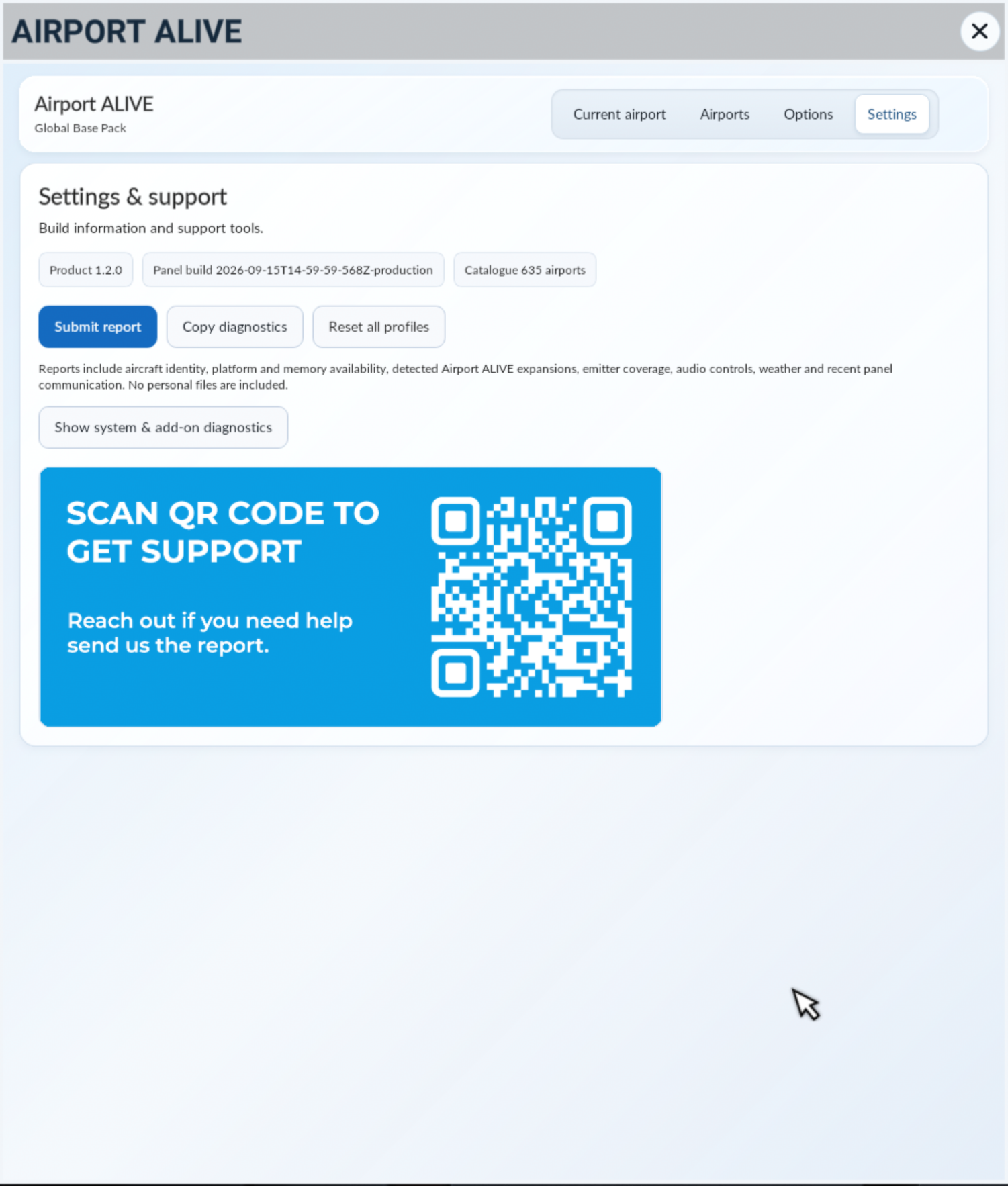
Simply press Copy Diagnostics and send that to our support team.
Was this article helpful?
That’s Great!
Thank you for your feedback
Sorry! We couldn't be helpful
Thank you for your feedback
Feedback sent
We appreciate your effort and will try to fix the article